What I Actually Learned Using an AI Video Generator for the First Time
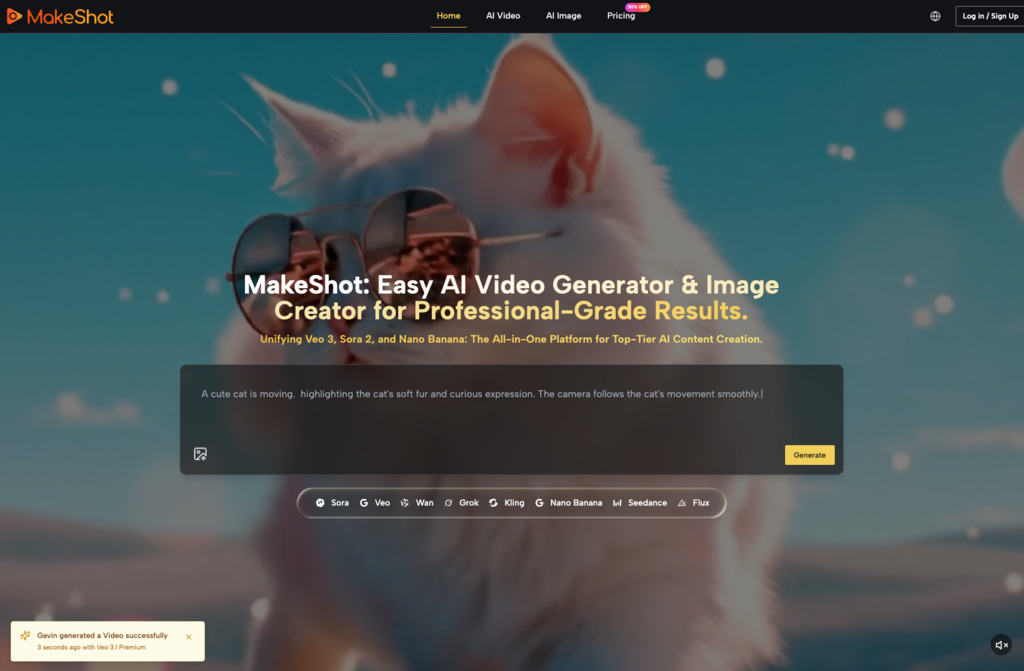
When I first opened MakeShot, I expected to type a few words and watch cinema-quality footage appear. That’s not quite what happened. What followed was a week of trial, error, and gradual understanding—the kind of learning curve nobody warns you about when they’re busy calling AI tools “revolutionary.”
This article is for anyone standing at that same starting line. If you’re curious about AI video generators and AI image creators but unsure what the experience actually looks like, here’s an honest breakdown of what to expect, what to adjust, and how to make these tools genuinely useful.
What Beginners Usually Get Wrong
Most first-time users approach AI video generation with one of two mindsets: either wild optimism (“I’ll replace my entire production team!”) or deep skepticism (“This is probably just a gimmick”). Both miss the mark.
The reality sits somewhere in the middle. An AI video generator won’t read your mind. It won’t automatically understand your brand aesthetic or the specific mood you’re chasing. What it will do is respond to clear instructions—and learning to give those instructions is where the real work begins.
Here’s what tripped me up initially:
- Writing prompts that were too vague (“make a cool video about coffee”)
- Expecting the first output to be final
- Not understanding how different models handle the same request differently
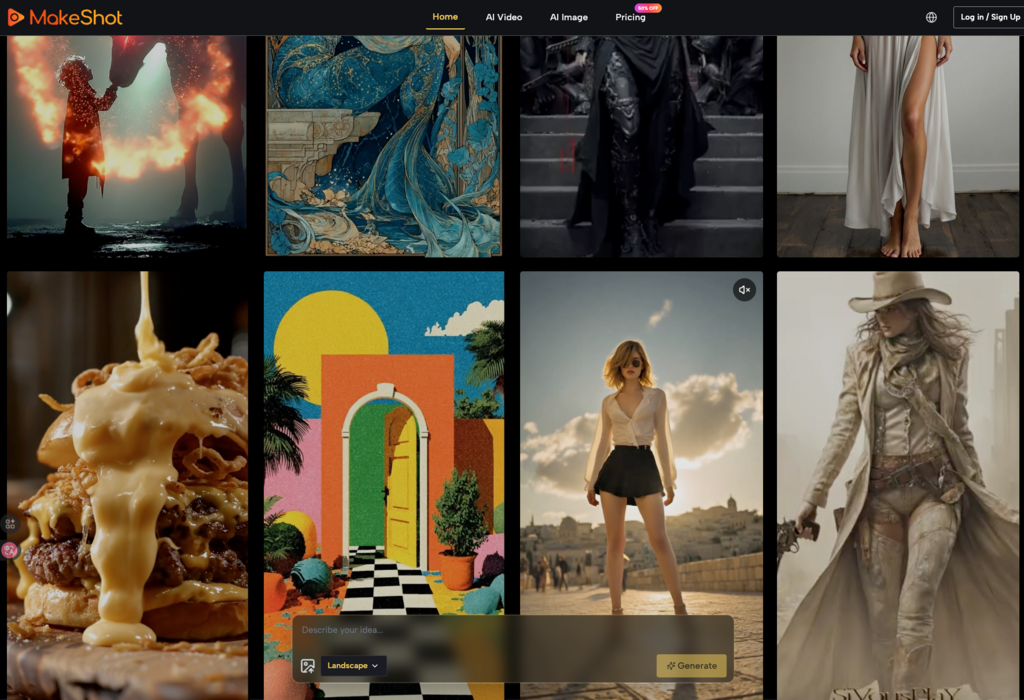
That last point matters more than I realized. MakeShot gives you access to multiple generation models—Veo 3, Sora 2, Nano Banana Pro, and others—and they each interpret prompts in their own way. Sora 2 tends toward cinematic storytelling. Veo 3 includes native audio generation, which changes the workflow entirely. Nano Banana excels at hyper-realistic image creation.
Learning these differences took time. But once I did, my results improved dramatically.
The Prompt Problem (And How to Solve It)
If there’s one skill that separates frustrated beginners from productive users, it’s prompt writing. This isn’t about memorizing magic phrases. It’s about specificity.
Consider the difference:
| Weak Prompt | Stronger Prompt |
| “A person walking in a city” | “A woman in her 30s walking through a rainy Tokyo street at night, neon signs reflected on wet pavement, slow motion, cinematic lighting” |
| “Product shot of headphones” | “Matte black wireless headphones floating against a soft gradient background, studio lighting, minimal shadows, commercial photography style” |
The second versions give the AI image creator or video generator something concrete to work with. They specify mood, setting, lighting, and style.
I spent my first few days generating mediocre outputs because I assumed the AI would fill in the gaps. It doesn’t. Or rather, it does—but not in ways you can predict. Being explicit about what you want saves time and credits.
Adjusting Expectations: What “Good Enough” Looks Like
Here’s something nobody told me: your first usable output probably won’t be your first output.
Professional content creation with AI tools involves iteration. You generate, review, adjust your prompt, and generate again. Sometimes you switch models entirely. I found that running the same concept through both Sora 2 and Veo 3 often gave me complementary results—one might nail the movement while the other captured the atmosphere better.
This iterative approach felt inefficient at first. Coming from traditional video production, I was used to planning everything upfront and executing once. AI generation inverts that process. Planning matters less; experimentation matters more.
For beginners, I’d suggest:
- Start with simple concepts before attempting complex scenes
- Generate multiple variations before deciding anything is “final”
- Keep notes on which prompts worked and why
That last habit saved me hours. After a week, I had a small library of prompt structures I could adapt for different projects.
When AI Helps (And When It Doesn’t)
Let me be direct: AI video generators and AI image creators don’t replace creative judgment. They accelerate execution.
If you don’t know what you want, these tools won’t figure it out for you. They’re amplifiers, not substitutes. The clearer your creative vision, the more useful the technology becomes.
Where I found genuine value:
- Rapid prototyping: Testing visual concepts before committing to expensive production
- B-roll and supplementary footage: Creating establishing shots or atmospheric content
- Social media content at scale: Maintaining posting schedules without burning out
- Product visualization: Generating mockups without arranging photoshoots
Where the tools struggled:
- Highly specific brand guidelines with zero flexibility
- Content requiring precise text or typography
- Scenes with complex multi-character interactions
Understanding these boundaries helped me use the tools strategically rather than expecting them to handle everything.
The Multi-Model Advantage
One thing that surprised me about MakeShot was how much value came from having multiple models in one place. Before, I assumed an AI video generator was an AI video generator—they’d all produce similar results.
Not true.
Veo 3’s native audio generation, for instance, creates videos with synchronized sound effects and ambient audio built in. That’s a completely different workflow than generating silent footage and adding audio later. For certain projects, this saves significant post-production time.
Nano Banana, meanwhile, supports multiple reference images—up to four—which helps maintain character consistency across a series of images. If you’re building a campaign with recurring visual elements, that feature matters.
Being able to compare outputs across models before committing to one direction changed how I approached projects. Instead of guessing which tool might work best, I could test and see.
Practical Tips for Your First Week
If you’re just starting with AI-powered content creation, here’s what I wish someone had told me:
- Spend your first session just experimenting. Don’t try to produce anything “real.” Generate random concepts. See how the models respond. Build intuition before building content.
- Write longer prompts than feels natural. Specificity beats brevity. Include details about lighting, camera angle, mood, color palette, and style.
- Compare models on the same prompt. You’ll quickly learn which tools suit which purposes.
- Accept imperfection early. Not every generation will be usable. That’s normal. The goal is increasing your hit rate over time, not achieving perfection immediately.
- Keep a prompt journal. Document what works. Your future self will thank you.
The Bigger Picture
AI video generators and AI image creators aren’t magic. They’re tools—powerful ones, but tools nonetheless. They require learning, practice, and realistic expectations.
What they offer is accessibility. Projects that once required expensive equipment, specialized software, and professional crews can now be prototyped by individuals. That doesn’t eliminate the need for skill or taste. It just changes where those skills get applied.
For beginners, the path forward isn’t about mastering every feature immediately. It’s about building familiarity through use. Generate more than you think you need to. Pay attention to what works. Adjust gradually.
The learning curve exists. But it’s shorter than traditional video production, and the floor for experimentation is much lower. You can try ideas that would have been prohibitively expensive before.
That, more than any single feature, is what makes these tools worth exploring.