Standout Local: The Best Online Tools to Create Marketing Materials for Your Next Event
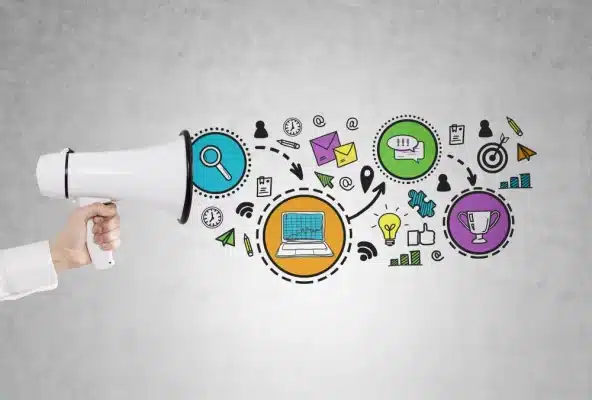
Whether it’s a neighborhood fundraiser, local concert, or small business expo, getting people to show up depends on how effectively you market your event. The challenge? Local organizers often lack the design budgets or in-house creative teams that big brands rely on. Fortunately, today’s online tools make it possible for anyone to produce professional-quality flyers, posters, social media visuals, and print materials without formal design experience. The right combination of creative platforms can save you time, improve engagement, and give your local event the polished presentation it deserves.
1. Create Eye-Catching Flyers with Professional Design Tools
A great event starts with a great flyer — it’s often the first impression attendees get. Tools like Adobe Express, VistaCreate, and PosterMyWall offer thousands of customizable templates optimized for both print and social media. These platforms make it easy to add your event details, upload sponsor logos, and adjust layouts with drag-and-drop simplicity.
Unique Tip: When designing flyers for community events, use local imagery — landmarks, neighborhood skylines, or even recognizable parks — to help people instantly connect with your promotion. Many AI tools within Adobe Express can automatically match your color palette to those images for a consistent visual identity.
Checklist for Flyer Design:
- Choose a bold headline font for instant visibility.
- Include date, location, and registration details clearly.
- Use high-contrast color combinations for readability outdoors.
- Export both print-ready PDFs and web-optimized PNGs.
- Test visibility — print a sample and post it from 10 feet away.
2. Build Buzz with Social Media Content Creation Platforms
Once your visuals are ready, social media is where excitement begins to grow. Buffer Create, Lumen5, and Piktochart allow you to repurpose static posters into animated short videos or social posts. These dynamic formats are especially effective on Instagram Reels, TikTok, and Facebook Stories — where movement grabs attention faster than text alone.
Unique Tip: Use event countdowns and short teaser clips to build momentum. AI-powered captioning tools, like those found in Lumen5, can automatically generate short text overlays highlighting key event info.
Social Strategy Checklist:
- Schedule event countdown posts at regular intervals.
- Use platform-native hashtags and tag local community pages.
- Repurpose long announcements into bite-sized video snippets.
- Engage commenters early by asking them to RSVP or share.
3. Print Like a Pro with On-Demand Printing Services
Even in a digital world, physical marketing materials — from posters to banners — still drive attendance for local events. Online print services such as Vistaprint, GotPrint, and UPrinting enable quick, affordable production with doorstep delivery.
Unique Tip: For outdoor events, opt for UV-resistant materials and matte finishes to prevent glare. If your event is indoors, use glossy posters to make colors pop under artificial light.
Print Readiness Steps:
- Verify dimensions match printer specifications.
- Use high-resolution (300 DPI) files for all uploads.
- Double-check margins and bleed areas before submission.
- Order one sample print to confirm quality before full production.
4. Organize Your Team’s Workflow with Collaborative Platforms
Event planning involves multiple contributors — from sponsors and vendors to volunteers. Tools like Trello, Asana, and Notion simplify project management by keeping all creative assets and deadlines in one shared workspace.
Unique Tip: Create a shared “brand board” in Notion or Trello that includes your event’s logos, fonts, color codes, and templates. This ensures all collaborators — including freelancers and vendors — maintain visual consistency across designs.
Workflow Essentials:
- Assign deadlines for each design deliverable (flyers, posters, social posts).
- Use color-coded task labels for clarity.
- Maintain one centralized folder for final, print-ready files.
- Host a weekly review to align visual direction with event goals.
5. Capture Attention with QR Code and Link Management Tools
QR codes bridge offline and online promotion seamlessly. Tools like Bitly, QR Code Generator, and Flowcode allow you to embed smart links into your posters or table displays. When attendees scan them, they can access ticket pages, maps, or event schedules instantly.
Unique Tip: Customize your QR code with event colors and logos for brand alignment. Flowcode, for instance, lets you track how many people scan from specific flyers or neighborhoods — valuable insights for next year’s promotions.
Smart Link Setup Checklist:
- Shorten URLs for easier sharing.
- Embed QR codes on both print and digital materials.
- Use tracking metrics to gauge engagement rates.
- Update destination pages as event details evolve.
6. Analyze Event Reach with Data-Driven Marketing Tools
After creating your marketing materials, it’s crucial to measure how they perform. Platforms like Google Analytics, Mailchimp Reports, and Metricool help event planners understand what’s working — and what’s not.
Unique Tip: Cross-check engagement metrics (clicks, scans, or sign-ups) with geographic data to see which neighborhoods are responding most to your campaigns. This helps you optimize future outreach and focus efforts on high-performing areas.
Performance Review Checklist:
- Set up UTM links for every marketing material.
- Measure flyer QR code scans versus social clicks.
- Analyze demographics of engaged users.
- Create a visual summary of ROI per channel post-event.
📣 FAQ — Card Design for Event Planners
While posters and flyers get people in the door, cards — invitation cards, thank-you cards, or sponsor appreciation cards — add a human touch that strengthens community relationships. Here are some frequently asked questions about designing cards for local events.
Q1. What elements make a professional event card design?
A well-crafted card should communicate its purpose clearly — whether it’s an invitation or a thank-you message. Use a concise layout, leave white space for elegance, and include the event logo or iconography. Colors should match your broader event theme for visual continuity.
Q2. Where can I create and print customized event cards online?
You can easily design and print cards through Adobe Express, which offers free templates for invitations, sponsorship notes, and post-event thank-you cards. Additional professional-grade options include MOO and Vistaprint, both of which allow for premium finishes like embossed text or foil accents.
Q3. What’s the best card size for invitations and thank-yous?
Standard 5×7 inches works well for invitations, while smaller 4×6 cards are ideal for thank-you notes or promotional handouts. Choose a size that fits comfortably in standard envelopes to avoid custom mailing costs.
Q4. How can I make my event cards more memorable?
Include tactile or interactive elements such as textured paper, spot gloss highlights, or QR codes linking to post-event galleries. Personalize thank-you cards with the recipient’s name or a handwritten note to create emotional resonance.
Q5. Are digital cards a good alternative for local events?
Yes — especially when paired with physical versions. Services like Paperless Post and Evite allow you to send digital invitations instantly while tracking RSVPs. However, physical cards still hold sentimental value and can make your event appear more premium or exclusive.
Every successful local event begins with visibility — and the right tools can help transform ideas into vibrant, shareable experiences. From crafting eye-catching flyers in Adobe Express to streamlining teamwork in Trello, today’s digital platforms remove barriers between concept and execution.
Smart design tools don’t just make marketing easier; they make events feel more intentional, cohesive, and community-driven. Whether you’re organizing a farmers’ market, music night, or charity gala, the key lies in blending creativity with organization. With these tools in your digital toolkit, you can ensure that every piece of marketing — from a flyer on a lamp post to a thank-you card in someone’s hand — becomes a meaningful part of your event’s story.