How to Remove Someone From Snapchat Friend List
Snapchat best friends list can reveal more about your social life than you might think. Whether you’ve outgrown a friendship or simply need to declutter your social media, knowing how to remove someone from Snapchat friend list is a valuable skill.
In this article, we’ll explore the reasons you might want to make this change and provide you with a straightforward guide to doing it. Prepare to reclaim your online space and foster connections that truly matter.
Snapchat, the vibrant multimedia messaging platform, remains one of the leading social media applications globally. Its unique features allow users to send photos, videos, and messages instantly, making communication not only quick but also engaging.
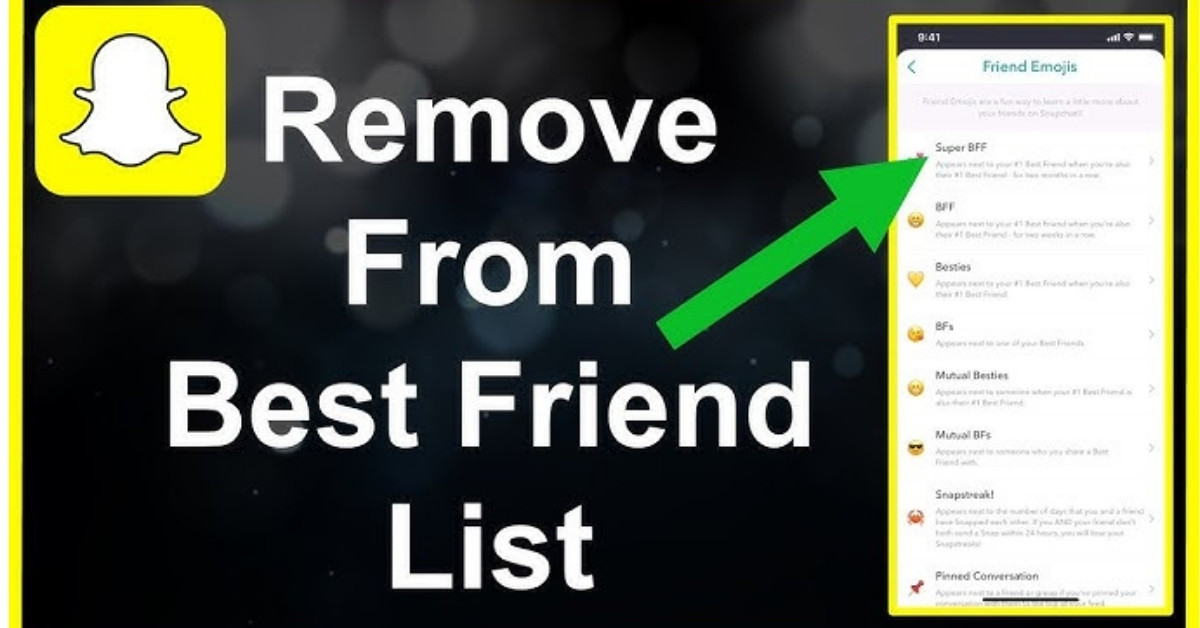
One of Snapchat’s standout features is the “Best Friends” list. If you frequently interact with a particular user through snaps, messages, or even stories there’s a strong likelihood they will appear on this exclusive list.
This list is dynamic, reflecting your current interactions, which adds a layer of excitement and competitiveness. Users often strive to be on each other’s Best Friends list, fostering deeper connections and playful rivalries.
Moreover, Snapchat encourages creativity with a variety of filters, stickers, and lenses, turning ordinary conversations into fun, artistic exchanges. As a result, millions of users worldwide continue to flock to the platform, not just for communication, but for the joyful experiences it offers.
You’ll see your best friends near the top of the page when deciding who to send a picture to. But is there any way to remove people from the list that you don’t want on there anymore?
How to get someone off your best friends list on Snapchat
Removing someone from your best friends list on Snapchat isn’t as simple as clicking a button, but there are a couple of effective methods you can try.
Block or Remove the User
If you’ve decided you no longer want someone on your best friends list, blocking or removing them is the most straightforward approach. This action means they will no longer be able to contact you on Snapchat, which is ideal if you’re certain you won’t be talking to them again. However, be aware that this also removes them from your contacts entirely, so use this option with caution.
Alter Your Messaging Habits
If you still want to keep in touch with the person but don’t want them to appear on your best friends list, consider adjusting your messaging frequency. Snapchat’s algorithm prioritizes the users you message most often. By reducing your communication with this individual and increasing your interactions with other friends, you can gradually push them off your best friends list.
Stay Patient
Keep in mind that this method takes time. Regularly engaging with other friends will help the app re-evaluate your best friends, ensuring that your desired contacts take precedence over the ones you want to minimize.
In conclusion, whether you choose to block someone or simply reduce your conversations, you have options to manage your best friends list on Snapchat effectively.
If you want to learn more about how to use Snapchat, you can check out some of our other guides here: How To Delete Stickers On Snapchat | Answer Is Here , What Is The Longest Snapchat Streak Ever | Top 20.
In summary, removing someone from your Snapchat best friends list can be a straightforward process if you follow the right steps. Whether it’s due to a change in your social circle or simply wanting to curate your online interactions, this feature allows you to manage your connections easily.
Remember, just because someone is removed from your best friends doesn’t mean you’re cutting ties entirely; it’s simply a way to adjust your visibility. Always consider how your decision might affect your friendships, and communicate if necessary. Take control of your Snapchat experience today, and keep your list reflective of your current relationships.
FAQ’s
When You Unfriend Someone On Snapchat, Do The Messages Delete?
No, messages exchanged prior to unfriending will remain in your chat history, but you won’t be able to send new messages.
What Does The Other Person See When You Remove Them On Snapchat?
They won’t receive a notification, but they will notice if they can’t see your Snapchat stories anymore or if your username isn’t in their friends list.
How Do I Know If Someone Removed Me On Snapchat?
If you can no longer see their stories or send them snaps, this might indicate you’ve been removed, though it could also mean they’ve deleted their account.
What Are The Benefits Of Removing Someone on Snapchat?
Removing someone can declutter your friends list, enhance your privacy, and eliminate unwanted interactions on the platform.
How To Hide Someone on Snapchat But Still Talk?
You can create a Custom Friend List or use the “Do Not Disturb” option in settings to mute their notifications while still being able to chat.
Can You Remove Someone Off Your Friends List on Snapchat?
Yes, you can easily remove someone from your friends list by going to their profile and selecting the ‘Remove Friend’ option.
Is 💕 Better Than 💛 on Snapchat?
The choice between 💕 (pink heart) and 💛 (yellow heart) is subjective. The pink heart indicates a closer friendship, while the yellow heart shows you’re best friends.
How do I remove multiple friends on Snapchat at once?
Currently, Snapchat doesn’t support removing multiple friends at once. You’ll need to remove each friend individually through their profiles.
Can I Unfriend Someone on Snapchat Without Them Knowing?
Yes, you can unfriend someone without them being notified. However, if they check their friend list, they will notice they’ve been removed.