
How to Delete a Story on TikTok? in 2026
How to Delete a Story on TikTok? Many users don’t realize the power of editing their digital narratives, especially when it comes to fleeting content like stories.
This article will outline the essential steps to delete a story, empowering you to make choices that align with your personal or professional image.
How to Delete a Story on TikTok: Step-by-Step Guide
By following these brief steps, you can quickly eliminate any stories that no longer resonate with you or your audience, ensuring that your profile reflects your current vibe.
- Open the TikTok app on your device.
- Go to your profile by tapping the icon in the bottom right corner.
- Access your story by tapping your profile picture.
- Find the Share button located at the bottom right of the screen.
- Choose the ‘Delete’ icon from the options available.
- Confirm your choice by pressing ‘Delete’ once more.
Step 1: Open the TikTok App on Your Device
The first step is to open the TikTok app on your smartphone or tablet. If you’re not logged in yet, enter your username or email with your password to access your account.

Once logged in, tap the profile icon located at the bottom right corner of the screen to navigate to your profile.
Read More: What does IB mean on TikTok?
Step 2: Open Your Story
To delete a story on TikTok, start by opening the specific story you wish to remove; tap on your profile picture to access your Stories, then swipe through until you find the desired post.

Step 3: Tap on the Share Box to Find the Delete Option
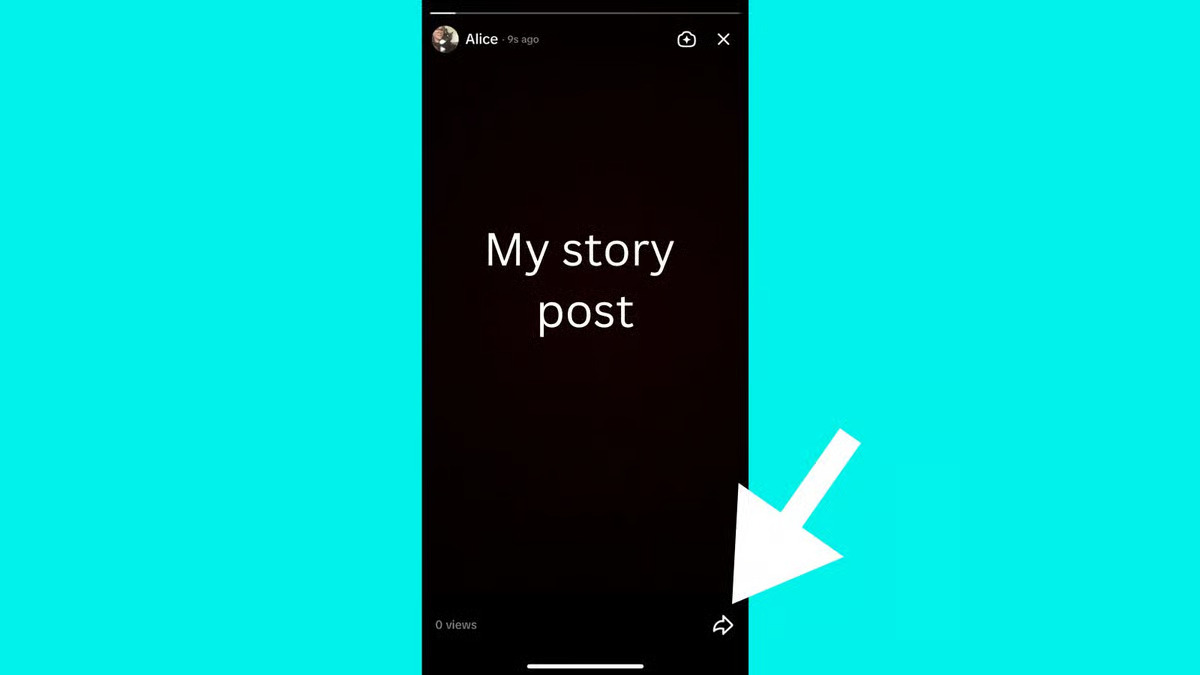
You need to tap on the share button, which is represented by an arrow in the bottom right corner of the screen. This action opens up a variety of options, including the all-important delete feature.
Step 4: Delete the Story Post
To delete a story on TikTok, simply tap on the share button at the bottom of your screen, where you’ll find an array of options.
The red delete button is situated on the far right; select this to proceed. TikTok will present you with a choice to either delete or re-edit your post, allowing you to quickly fix any mistakes if needed.
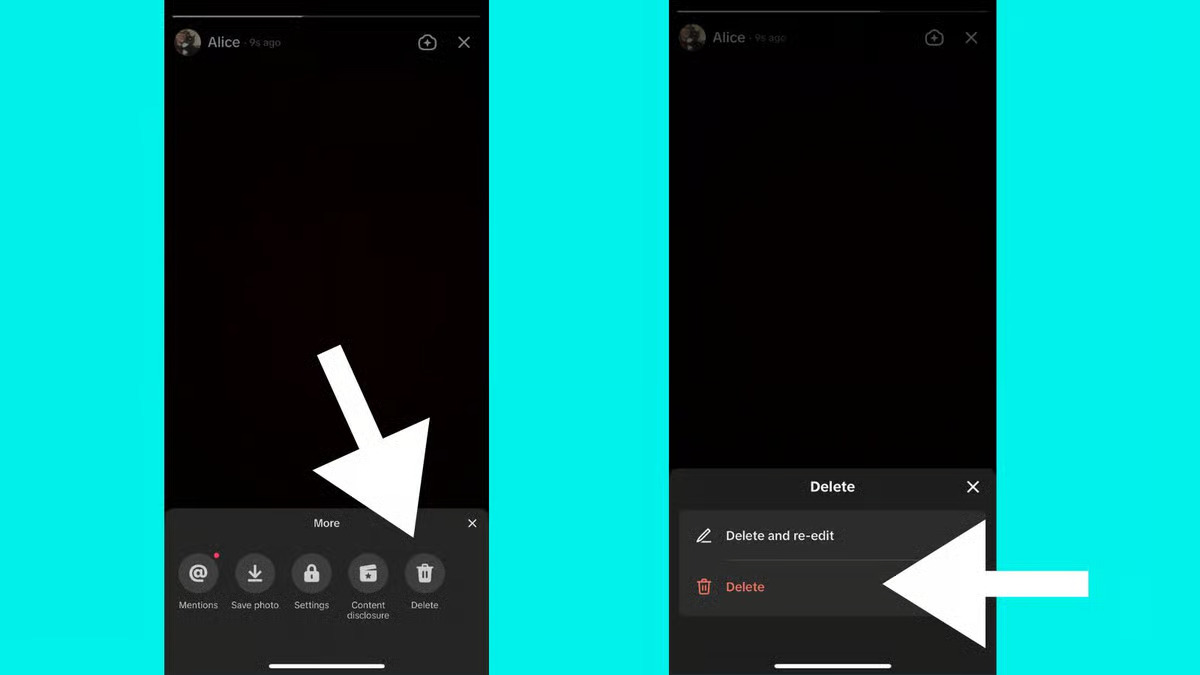
Once you confirm the deletion, the story will be permanently erased, ensuring no one can view it again. To verify that it’s gone, just tap on your profile picture to check your story archive.
If you’re looking to delete multiple posts, you’ll need to repeat this process for each one, as TikTok doesn’t currently support bulk deletions.
Read More: How To Make a Private Story On Snapchat 2026 Guide
Conclusion
How to Delete a Story on TikTok? This knowledge is vital for any user wishing to manage their digital footprint effectively.
In an ever-evolving social media landscape, the ability to remove stories lets you reflect your current self.