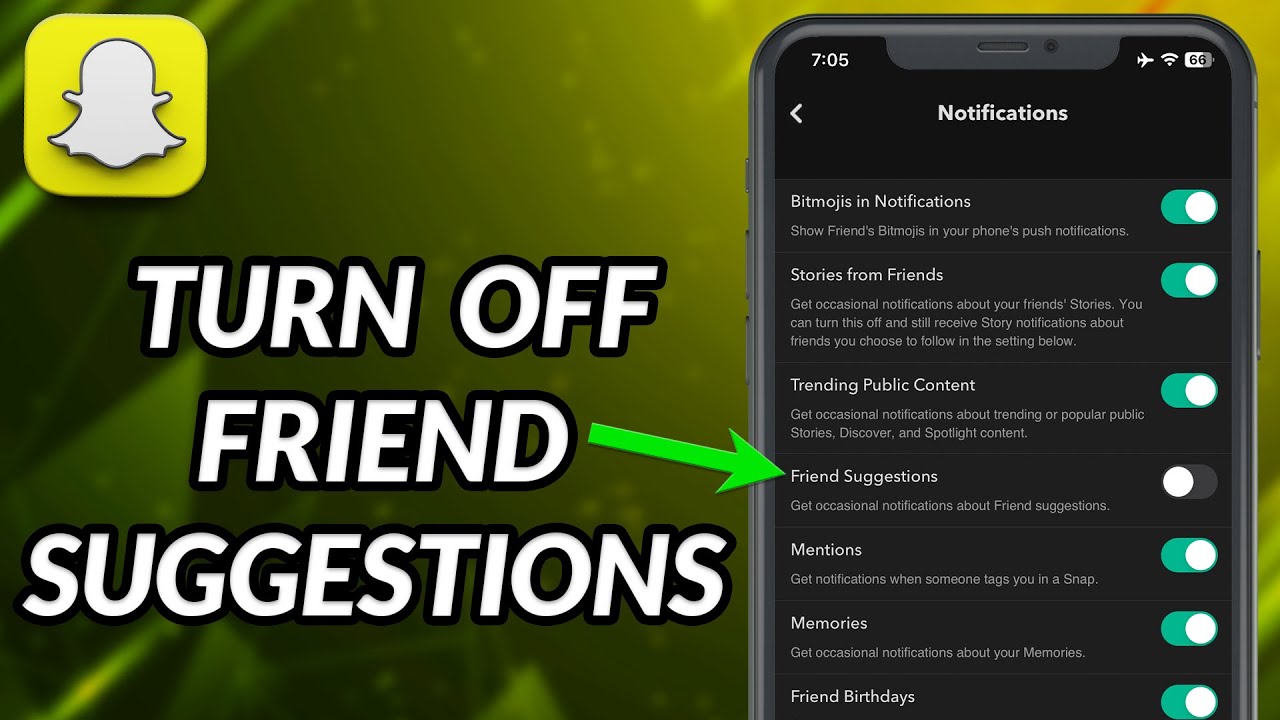
How to Turn Off Friend Suggestions on Snapchat?
How to turn off Friend Suggestions on Snapchat? It can significantly enhance your user experience by prioritizing your privacy.
While many users appreciate recommendations, not everyone wants unsolicited connections popping up on their screen.
By following the simple guidelines in this article, you’ll discover how to easily manage these suggestions, helping you keep your Snapchat interactions more personal and within your control.
How to Turn Off Friend Suggestions on Snapchat?
By disabling friend suggestions on Snapchat, you gain more control over your privacy and who can potentially connect with you.
- Open Snapchat: Start by launching the app from your device.
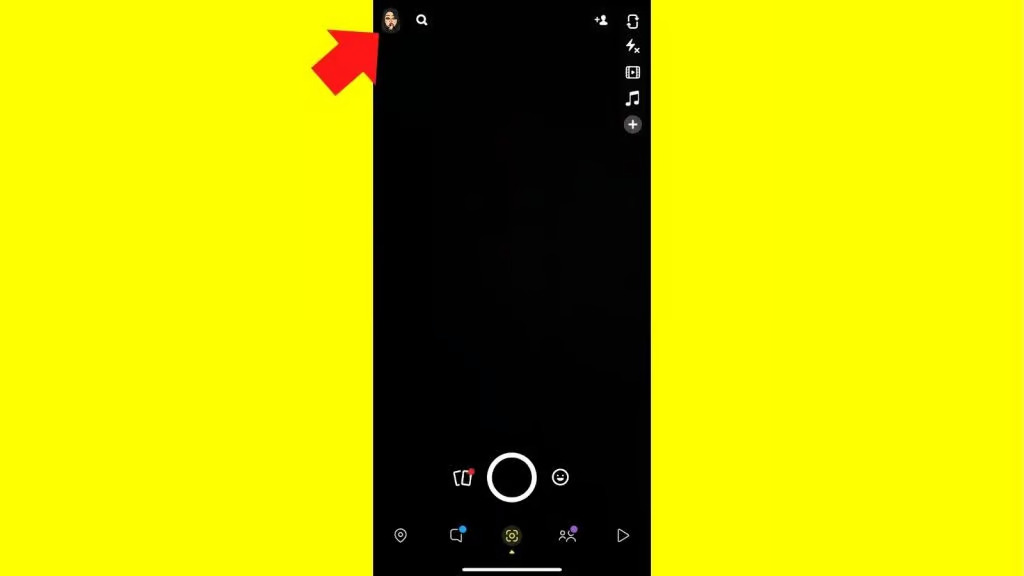
- Tap Profile: Locate your profile icon in the top left corner and tap it.
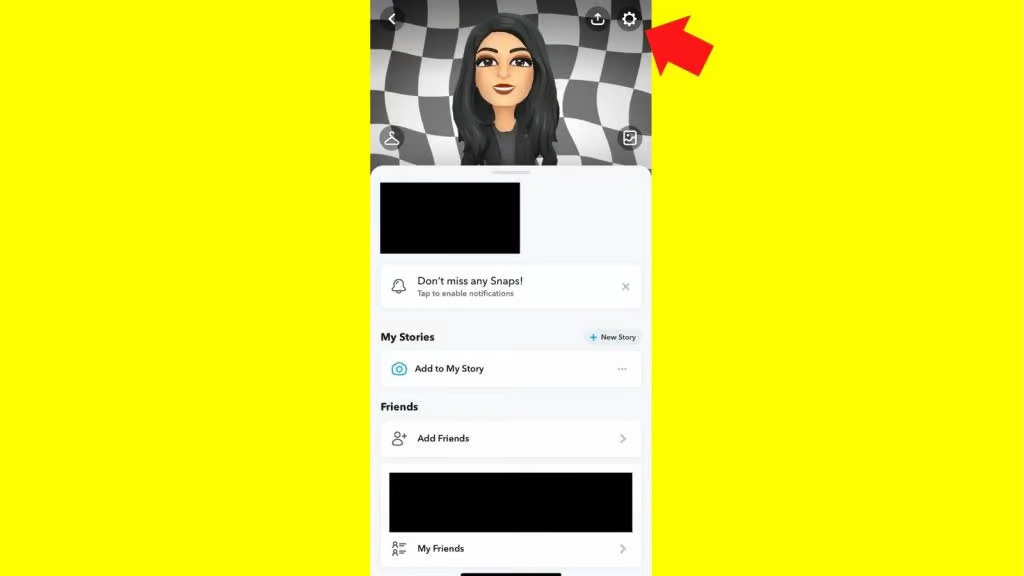
- Access Settings: Click the gear icon in the top right corner to enter the Settings menu.
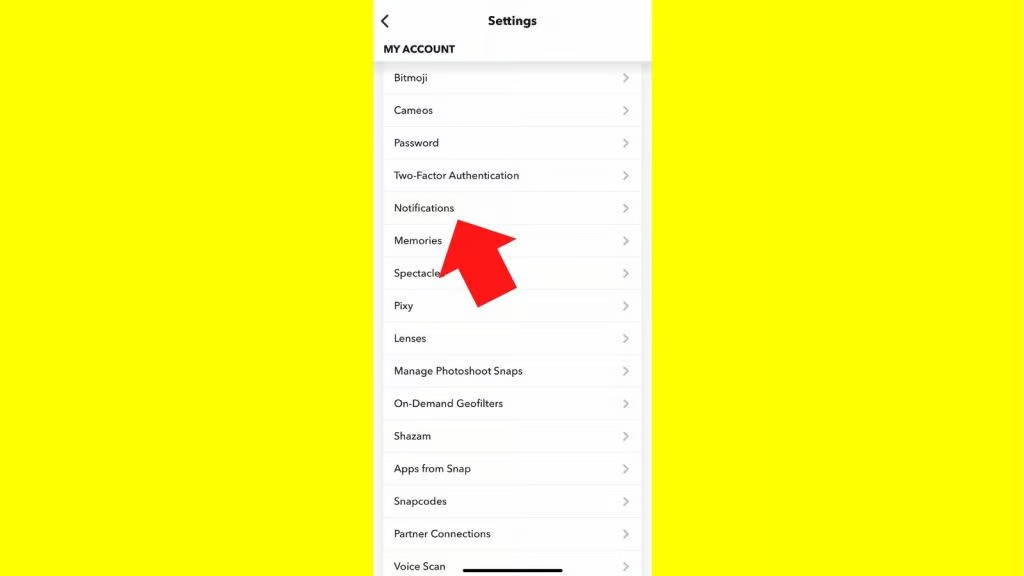
- Navigate to Notifications: Scroll down to the ‘My Account’ section and select ‘Notifications.’
- Toggle Friend Suggestions: You’ll find the Friend Suggestions option; swipe the tab to the left to turn it off.
Open Snapchat and Tap Your Profile in the Top Left Corner of the Screen
After you open the Snapchat app on your device and log in, you’ll see your profile icon waiting in the top left corner of the screen.
Read More: WYTM Meaning on Snapchat: What it Stands For?
Click the Gear Icon in the Top Right to Open the Settings Menu
When you open your profile on Snapchat, look for the gear icon in the top right corner; tapping it will unveil a treasure trove of settings that can transform your Snapchat experience.
Under ‘My Account,’ Scroll Down and Select ‘Notifications’
Under ‘My Account,’ scroll down and select ‘Notifications.’It will lead you below ‘Two-Factor Authentication’ and above ‘Memories,’ offering you a range of options to customize your Snapchat experience.
Find The Friend Suggestions Button And Swipe The Tab Left To Turn It Off
Simply swipe the tab to the left to disable this feature and enjoy a more streamlined interaction.
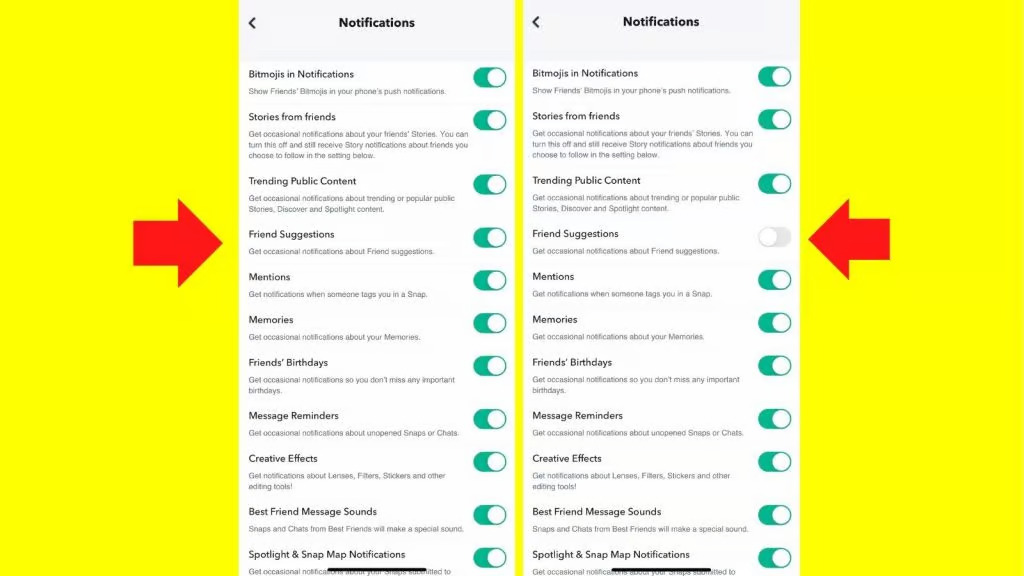
This adjustment proves beneficial for users who prefer to minimize unsolicited friend recommendations.
Read More: How to Delete a Story on TikTok in 2026
Conclusion
How to turn off Friend Suggestions on Snapchat? It is a straightforward process that can enhance your privacy and customize your user experience.
By adjusting your settings, you can limit the suggestions that the app provides based on your contacts and mutual friends.