Banana Pro AI: What I Actually Learned After My First Month with AI Image Generation
Starting with AI image tools felt a lot like learning photo editing for the first time—exciting possibilities mixed with genuine confusion about where to begin. When I first tried Banana Pro AI, I expected instant magic. What I got instead was a learning curve, some surprisingly good results, and a clearer understanding of what these tools can realistically do for someone just starting out.
This isn’t a review promising miracles. It’s an honest look at what adopting an AI image generator actually involves when you’re figuring things out as you go.
Why Beginners Often Feel Lost with AI Image Tools
The gap between marketing promises and first-time user experience can be jarring. You see polished examples everywhere, then sit down to create something and wonder why your results look nothing like the showcase images.
I’ve noticed three common stumbling blocks:
- Vague expectations — Not knowing what “good” input looks like
- Prompt frustration — Writing descriptions that don’t translate well
- Feature overload — Too many options without clear starting points
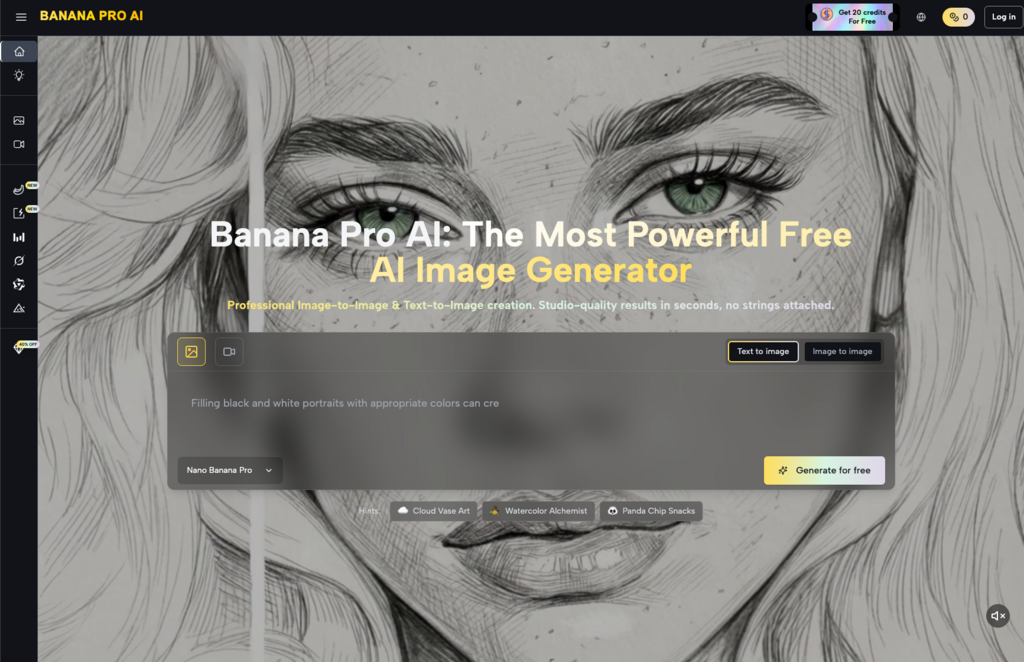
With Banana Pro AI, the interface simplified some of this confusion. The dual approach—Image to Image transformation and Text to Image generation—gave me two distinct paths to experiment with rather than one overwhelming dashboard.
But simplicity doesn’t eliminate the learning process. It just makes the learning less frustrating.
My Early Experiments: What Worked and What Didn’t
Text to Image: The Description Problem
My first attempts at Text to Image generation were too vague. “A professional business photo” produced generic results. “A woman in her 30s sitting at a minimalist desk with soft window lighting, neutral color palette, editorial style” got me much closer to something usable.
The Banana Pro AI Image Generator responded better to specific details:
- Lighting direction and quality
- Color palette preferences
- Style references (editorial, cinematic, minimalist)
- Composition hints
What didn’t work: abstract concepts without visual anchors. “Innovation” or “growth mindset” as standalone prompts produced unpredictable results. Pairing abstract ideas with concrete visual elements improved consistency.
Image to Image: Faster Than Starting from Scratch
Uploading a reference image and requesting style changes felt more intuitive than pure text generation. I had a baseline to work from, which reduced the guesswork.
The Banana Pro AI Image Editor capabilities let me take existing photos and explore artistic variations—useful for social media content where I needed multiple visual treatments of similar concepts.
Common Misconceptions I Had to Unlearn
Misconception 1: AI replaces creative thinking
It doesn’t. The tool generates based on what you provide. Weak input produces weak output. I spent more time refining my descriptions than I expected—which, honestly, improved my overall visual communication skills.
Misconception 2: One prompt gets the perfect result
Batch generation became essential. Banana Pro AI creates multiple variations from a single prompt, which meant I could compare options rather than hoping my first attempt was the best possible outcome. Iteration isn’t a sign of failure; it’s how the process works.
Misconception 3: Professional quality means zero effort
The high-resolution output from Banana Pro AI looked genuinely professional, but getting there required understanding what I actually wanted. “Professional” is subjective. Defining it clearly—lighting, composition, style—made the difference between generic and genuinely useful results.
Adjusting Expectations: What AI Image Generation Actually Delivers
| What I Expected | What I Experienced |
| Perfect images on first try | Good images after 3-5 iterations |
| No learning curve | Moderate learning curve, but manageable |
| Replaces all design work | Supplements and accelerates specific tasks |
| Instant expertise | Gradual improvement over weeks |
The Banana Pro AI Image Generator handled certain tasks remarkably well:
- Blog post illustrations
- Social media visual concepts
- Mood boards and style exploration
- Quick mockups for client discussions
Where I still needed traditional tools or human input:
- Brand-specific typography integration
- Complex multi-element compositions
- Highly technical product photography
Practical Workflow Changes After One Month
Before AI tools:
- Search stock libraries for 20+ minutes
- Download options, realize none fit perfectly
- Edit heavily or compromise on vision
- Repeat for each project
After integrating Banana Pro AI:
- Write a specific description or upload a reference
- Generate variations in under 15 seconds
- Select the closest match, refine if needed
- Move to final production faster
The time savings weren’t dramatic on individual images, but they compounded across projects. More importantly, I stopped settling for “close enough” stock photos because generating something closer to my actual vision became practical.
Gradual Workflow Improvement: What Changed Over Time
Week one was experimentation. Week two was pattern recognition—understanding which prompt structures worked consistently. By week four, I had a small library of saved prompts and reference images that made new projects faster.
The Smart Asset Library feature helped here. Being able to revisit successful generations and iterate on them meant I wasn’t starting from zero each time.
One unexpected benefit: the AI Chat Assistant helped me refine descriptions when I couldn’t articulate what I wanted visually. Describing something conversationally and getting prompt suggestions bridged the gap between vague ideas and specific instructions.
Honest Assessment: Who Benefits Most
Banana Pro AI works well for:
- Content creators needing consistent visual output
- Small teams without dedicated designers
- Anyone exploring visual concepts before committing to professional production
- Beginners willing to invest time in learning prompt craft
It’s less suited for:
- Highly technical product photography requiring exact specifications
- Projects needing pixel-perfect brand consistency from day one
- Users expecting zero learning investment
Final Thoughts on Realistic Adoption
AI image generation isn’t magic, but it’s genuinely useful once you understand its boundaries. Banana Pro AI lowered the barrier enough that experimentation felt accessible rather than intimidating. The combination of Image to Image and Text to Image options gave me flexibility depending on whether I had a reference point or was starting from a concept.
The biggest shift wasn’t in the tool itself—it was in how I approached visual content creation. More iteration, clearer descriptions, faster exploration of options. Those habits transferred beyond AI tools into how I communicate visual ideas generally.
If you’re considering trying Banana Pro AI or similar tools, expect a learning period. The results improve as your input improves. That’s not a limitation—it’s just how creative tools have always worked.