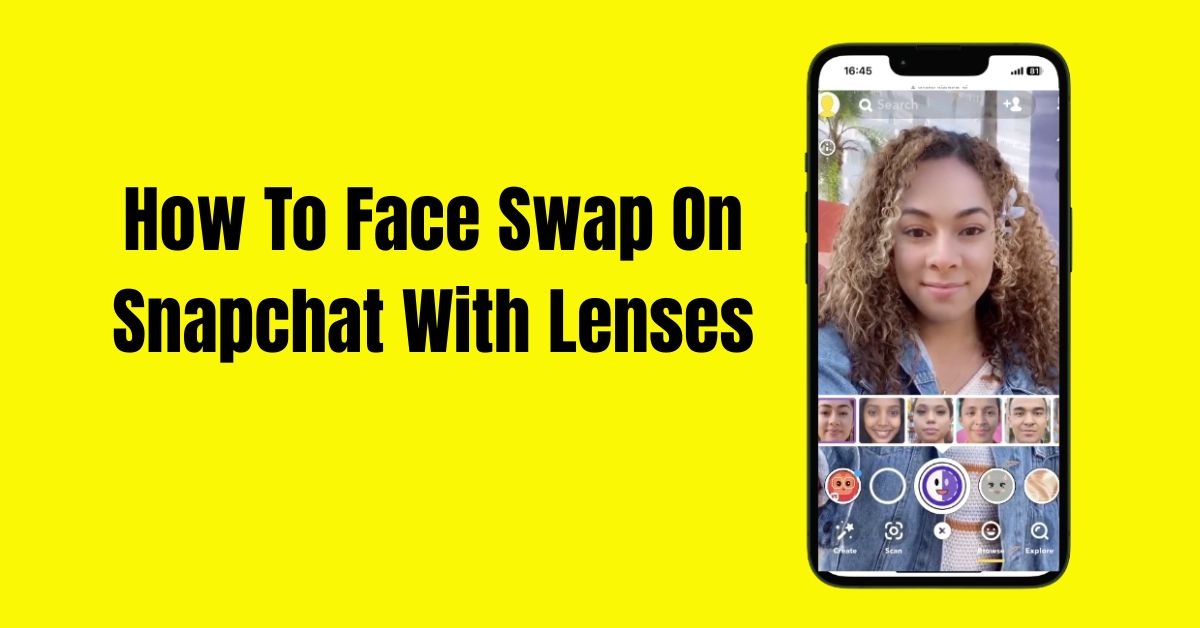
How To Face Swap On Snapchat With Lenses
Have you ever wondered how to make your friends laugh by swapping faces in a snap? With the right lenses, you can dive into the playful world of Snapchat, where even the most ordinary selfies become extraordinary.
Understanding how to face swap on Snapchat with lenses not only adds an element of fun, but also elevates your social media game.
In this guide, we’ll guide you through the steps and explore the whimsical features like the Snapchat planets that make face swapping an irresistible trend.
Start Snapchat Lenses
If you haven’t tried Snapchat lenses, you’re missing out on a lot of fun. These lenses use your front camera to change your selfies with fun filters. They can change your facial features, add animations, or even swap your face with a friend’s.
To use Snapchat lenses, switch to selfie mode and center your face in the camera. Hold down the screen, and a variety of lenses will pop up. If it’s your first time, you may need to wait a moment for them to download.
Using Snapchat lenses lets you get creative beyond regular photos. They let you interact in real-time, making your expressions activate fun animations. Imagine sharing a video where your mouth shows a big grin with sparkles, or a funny cartoon smile! To enjoy the effects, keep your face well-lit and in focus, this makes everything more fun. There are also lenses for face swapping on Snapchat.
Face Swap Real Time Lens
Face swap lenses are a thrilling addition to the world of augmented reality, allowing you to swap faces in real time with a friend. To get started,
- Simply launch the lens.
- Position both faces evenly within the camera viewfinder for optimal results.
- As the lens does its magic, you can either tap to snap a photo or hold down to record a video, capturing the hilarity or shock of the moment.
Whether it turns out to be side-splittingly funny or just a little eerie, the appeal lies in the element of surprise and the unpredictable nature of the resulting images.
Face Swap From Picture Lens
With Snapchat’s innovative face swap feature, users can dive into a whimsical world where they exchange faces with anyone in their photo gallery. The app cleverly scans your device, pinpointing faces nestled in pictures, from family gatherings to snapshots of your pet.
Simply tap on the selected face, and watch in amazement as the hilarity unfolds. It’s a unique twist on the traditional selfie, transforming mundane images into a tapestry of unforgettable hilarity.
Imagine combining the most serious family portrait with your friend’s goofy grin, or even better, swapping your face with your dog’s during a sunny day at the park.
Not only does this lend itself to endless entertainment, but it also becomes a creative outlet for storytelling within your photos.
Conclusion
Knowing how to Face Swap on Snapchat with Lenses can elevate your social media game and allow for endless entertainment. With the app’s intuitive features and myriad of lenses, you can easily transform yourself and your friends into hilarious caricatures.
It’s a fantastic way to share laughs and create memorable experiences that can be cherished long after the moment has passed.
As you dive into this exciting trend, remember to explore all the unique lens options available to find your favorites. So why wait? Grab your phone and start face swapping, let the fun begin!
FAQs
Do I need to download anything to face swap on Snapchat?
No, you don’t need to download anything separately. Face swapping is incorporated directly into the Snapchat app with its lens feature.
Is there a way to improve the quality of my face swap images?
For better quality, ensure you have good lighting and avoid extreme facial expressions, as these can affect how well the app recognizes and swaps faces.
How can I share my face swap creations?
You can share your face swap images directly on Snapchat or send them to friends via private messages, or even post them on other social media platforms!