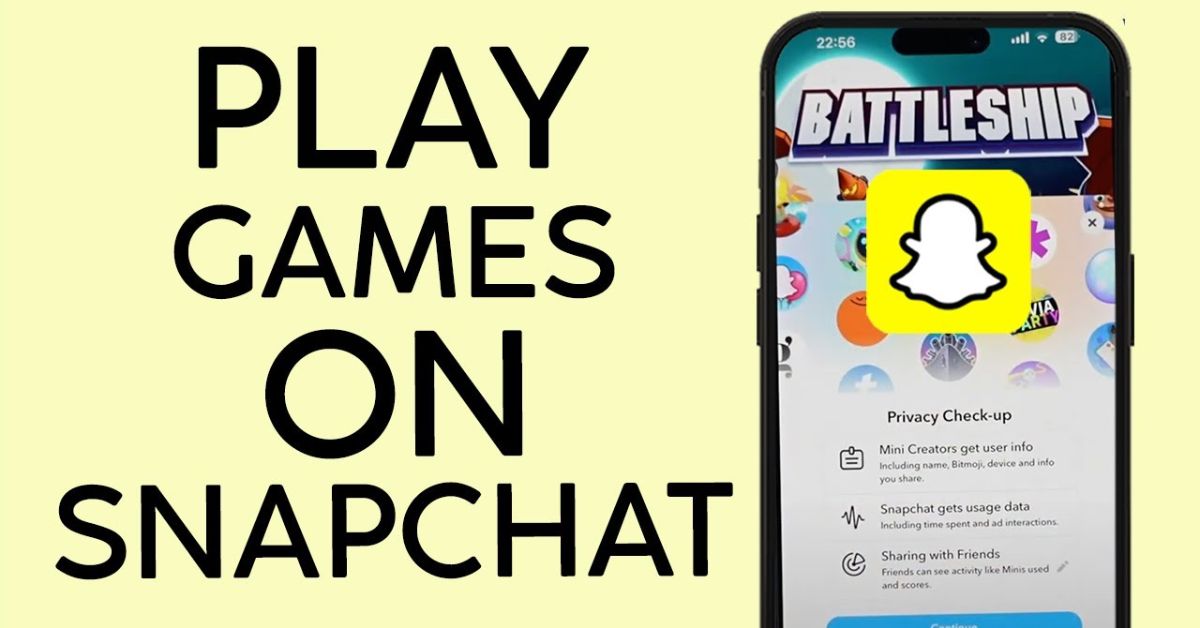
How To Play Games On Snapchat | Check Here
Did you know that Snapchat isn’t just for sharing selfies and stories, but also features nearly 50 interactive games to enjoy with friends? Learning how to play games on Snapchat can elevate your chatting experience, making it more fun and engaging.
Among these games, you can explore the innovative Snapchat planets, or Snap planets, adding an exciting layer to your social interactions.
By the end of this piece, you’ll be ready to dive into the world of Snapchat games and share unforgettable moments with your loved ones.
What Are Snapchat Games And Minis?
Snapchat Games and Minis have revolutionized the platform by blending social interaction with engaging digital experiences. Since their launch, Snap Games has attracted over 200 million users, with an impressive 30 million engaging in multiplayer gaming each month, as of May 2021.
Designed to enhance connectivity among friends, these games allow users to challenge each other in a fun, interactive environment right from their messaging app, making gaming more about social bonding than just competition.
Snap Minis, introduced in mid-2020, further enhance this social ecosystem by offering bite-sized applications directly within Snapchat. These tools empower users to coordinate plans, meditate with Headspace Mini, or turn study sessions into collaborative learning with features like Tembo flashcards.
With Minis, Snapchat is not just a platform for sending snaps but a versatile hub with diverse functionalities that cater to everyday activities.
This seamless integration encourages users to remain on the app longer, fostering community engagement and making Snapchat an essential part of their daily routines.
How To Play Snapchat Games With Friends
To dive into the fun world of Snapchat games with friends,
- Start by opening the Snapchat app.
- Tapping the “Chat” icon at the bottom of the navigation bar, or simply swipe right from the camera viewfinder to access your conversations.
- Once you’re in the chat list, pick a friend you want to challenge and open their chat.
- The adventure begins when you tap the Rocket icon in the bottom-right corner, unveiling a treasure trove of exciting games designed for solo play or a thrilling competition between friends.
- Choose a game tile that catches your eye, and whether you opt for a solo journey or invite your friend to join in, you’re in for a delightful experience.
Play Snapchat Games In Single Player Mode Without Friends
When your friends are tied up and you find yourself craving some entertainment, Snapchat’s single-player game mode is your perfect escape.
- Simply open the app.
- Hit the “Search” icon in the top-left corner.
- Navigate to the “Games & Minis” section.
- It’s a treasure trove of engaging games just waiting for you to choose one and dive in.
Whether you prefer fast-paced challenges or thought-provoking puzzles, there’s something for every mood.
How To Invite Friends To Play Snapchat Games
Inviting friends to dive into Snapchat games is a breeze, even if they missed the initial invite. If your friend was away when you kicked off the game,
- Simply tap the hamburger menu in the bottom-right corner.
- From there, you can ring them by selecting their name, this will send a friendly nudge to let them know you’re eager to play.
- Once alerted, your friend can easily join the fun with just a tap on the “Join” button in their chat window.
List of All Snapchat Games Available Right Now (January 2022)
As of January 2022, Snapchat offers a diverse lineup of games that keep users entertained and engaged.
- Bitmoji Tennis
- Pizza Cat
- Crowd City
- Subway Surfers Airtime
- Sling Racers
- Ready Chef Go!
- Chess Quest
- Sugar Slam
- Animal Restaurant
- Friends Quest
- Let’s Go Hoops
- Flip The Egg
- Snow Time
- Crazy Run
- Color Together
- Zombie Rescue Squad
- Bitmoji Paint
- Word Blitz
- Hole.io
- Storm Skaters
- Ludo Club
- Mergelings
- TableTop Kingdom
- Aquapark
- Snake Squad
- Find my Bitmoji
- Ready Set Golf
- Sliders
- Trivia Party
- Color Galaxy
- Squad Goals
- Pair Up
- Crowd City
- Island Jump
- Bitmoji Party
- Revamp
- Battleship
- Hex FRVR
- Tiny Royale
- Fashion Icon
- Swipe Out
- Alphabear Hustle
- Slide the Shakes
- Crazy Sales Rush
- Cube Surfer
- Bowing (Bowling)
- Let’s Doodle
- Word Blitz
- Om Nom Run
- Animal Restaurant
Conclusion
Learning how to play games on Snapchat can enhance your social experience on the platform, providing hours of entertainment and interaction with friends.
By exploring the various games available, you can discover which ones resonate best with you and your circle. From competitive challenges to cooperative puzzles, there’s something for everyone.
Don’t forget to share your favorite games and challenge your friends to join in the fun. So why wait? Dive in and start playing games on Snapchat today!
FAQs
What types of games can I play on Snapchat?
You can play various games on Snapchat, including casual games, trivia, puzzle games, and interactive multiplayer experiences.
Do I need to download anything to play games on Snapchat?
No, you do not need to download any additional apps; games are integrated within the Snapchat app.
Can I play games with my friends on Snapchat?
Yes, many games allow you to invite and compete with friends, making it a fun social experience.


![[Latest] How to Turn off Snapchat Location Step by Step](https://snapchatplanetsorders.com/wp-content/uploads/2025/12/how-to-turn-off-location-on-snapchat-768x385.jpg)